Ticket guide
How to buy tickets on NOL World (formerly Interpark Global)
NOL World is the overseas version of Interpark (NOL) Ticket, the seller behind more Korean concerts than any other. It replaced Interpark Global in December 2025. The old globalinterpark.com address forwards to the NOL World home page (world.nol.com), but the old ticket.globalinterpark.com sub-site opens the Korean Interpark Ticket site instead (both checked 16 October 2026). The site is in English, Japanese and Simplified Chinese, and you can book on the web or in the NOL World app.
It is meant for people with a non-Korean passport. Korean passport holders, including Koreans living abroad, are sent to the Korean NOL ticket site instead.
59 of the 106 upcoming shows we list are sold by NOL World.
Step by step
- Make an account earlySign up with an email address, or with Google, Apple or LINE. With a social login, verify an email too: you can't buy until you do.
- Read the show pageCheck for "Verified Member Only", the ticket limit, the sale time (KST) and how tickets are issued. All of these differ by show.
- Verify your passport if askedOnce per account, on your phone: a passport photo and a face photo. Finish it one or two days before the sale.
- Join the queueEvery product has a queue. You get one number per account; refreshing or switching devices costs you your place.
- Pick seats and payUp to 10 minutes to choose seats, then 7 minutes to pay with a card issued outside Korea.
- Get your ticketA mobile ticket in the app or on the mobile site, or pickup at the box office on the day with your booking number and passport.
Signing up
Register with an email address (a code is sent to confirm it) or with a Google, Apple or LINE account. Logins through Alipay, Weibo and Facebook are no longer offered. If you sign up with a social account, add and verify an email address before sale day, because buying tickets requires one.
Enter your name as it is spelled in your passport. Bookings accept English letters only; if your passport name contains other characters or symbols, you have to request a name correction, and that review can take up to 24 hours.
Passport verification ("Verified Member Only")
Only shows marked Verified Member Only need it, and the product page says so. Press the button on the product page and scan the QR code with your phone, confirm your email with a code, choose your nationality, photograph your passport, check the details it reads, then take a face photo. When it's done, a Buy Ticket button appears.
You verify once per account, and it carries over to later verified shows. You need an original, valid passport (no copies or screenshots), your face has to match the photo, and one passport can verify only one account. Afterwards you can't change your name, date of birth or email. NOL World asks you to finish at least one or two days before the sale, because verification can fail when traffic peaks.
Payment and fees
Only cards issued outside Korea work: Visa, Mastercard, American Express, JCB and UnionPay. The FAQ lists no PayPal or Alipay for tickets. In the payment window you choose between your card's currency and Korean won: Visa and Mastercard support 24 currencies including USD, JPY and TWD, JCB supports KRW, USD, JPY and TWD, and UnionPay KRW and USD.
The service fee is ₩8,000 for concerts and musicals and ₩3,000 for other shows and sports. A notice dated 15 October 2026 adds ₩1,000 from 16 November 2026, 09:00 KST, so the concert fee becomes ₩9,000. Ticket limits per order and per member are set by each organizer.
Sale day: the queue
Every bookable product on NOL World has a waiting queue. You get one queue number per account, and taking a number on a second device or browser closes the first. Refreshing sends you to the back, and a number doesn't guarantee a ticket.
- Don't refresh, close or leave the queue page, and stop the screen from sleeping.
- Don't switch apps, windows or devices while you wait. The seat map updates by itself.
- Turn off any VPN: NOL World says it may be treated as a bot.
- Use the latest Chrome or Edge. On some phones, the Galaxy Fold among them, seat selection fails on the mobile site; use the app there.
- Sale times are Korea time (KST, UTC+9).
When your turn comes, you have up to 10 minutes to choose seats and then 7 minutes to pay before the seats are released (these limits can vary by event). Seats can't be changed after booking; you would have to cancel and book again.
Getting your ticket
The show decides the format. Mobile tickets are QR codes that open only in the NOL World app or on the mobile site, and they display in English; if you see another language, turn off your browser's auto-translate.
For box-office pickup, bring your booking confirmation number and passport on the day of the show. The FAQ says pickup opens one hour before the show and that tickets can't be collected on an earlier day, but big concerts often post their own times on the show page. Lost or stolen tickets are not reissued. Unless the venue or show forbids it, someone else can collect a pickup ticket with the printed booking details and the buyer's ID and booking number.
Cancelling
Cancelling is free until 11:59 pm on the day you booked. After that the fee depends on the show, so read the cancellation table on the product page before you pay. Cancel in My Reservations: the deadline is usually 5 pm KST the day before the show, earlier around weekends. Refunds go back to your card in won and take about 5–7 days once the charge has settled; exchange-rate differences and card fees may not come back.
If something goes wrong
- Your booking is missing from My Reservations: you are probably logged in with a different login (email, Google, Apple or LINE) from the one you booked with. The FAQ says your history is kept.
- Your card is declined: only cards issued outside Korea in the listed brands work. If your brand is listed, ask your card company whether overseas use is blocked and whether 3D Secure is set up.
- The booking window or seat map won't load: use the latest Chrome or Edge and clear the cache. On some phones (the FAQ names the Galaxy Fold) seat selection fails on the mobile site, so book in the app.
- You were dropped from the queue: you get one number per account, and a second device or browser, a refresh or a VPN costs you your place.
- Verification shows "Declined": press "Request to Initialize Submission" on the product page and verify again after the review. "Pending Admin Approval" takes up to 24 hours.
- The mobile ticket shows a QR code or another language: switch to the mobile site or tap "View Tickets", and turn off your browser's automatic translation.
More fixes, from the NOL World FAQ and Terms: NOL World troubleshooting.
Common pitfalls
- Not every show on the Korean NOL ticket site is sold on NOL World. If you can't find yours, look for an overseas sale in the organizer's notice before trying the Korean site, which may ask for Korean identity verification.
- A booking name that isn't yours. NOL World says a different name order is fine but a different name is not. Book in your own name, on your own account.
- An old bookmark. globalinterpark.com goes to the NOL World home page, not to your show, and ticket.globalinterpark.com opens the Korean Interpark Ticket site. Start from world.nol.com and search for the show there.
- Leaving passport verification until sale day.
- Resale, proxy buying and macros are banned, with booking bans of three months or more and cancellation of every ticket on the account. Mobile tickets can be shared with a companion, but some organizers switch that off.
- Play&Stay hotel packages: much steeper cancellation fees (100% from three days before) and only the booker can collect.
Official pages
Rules change; check the seller's notice for your show before you pay.
Shows in our calendar sold by NOL World
-
![GHOSTIVAL [Incheon] official poster](/img/p/PF302499-480.webp) Sat 24 Oct 2026 15:00
GHOSTIVAL [Incheon]
from ≈ US$37₩49,000
International bookingIncheon
Sat 24 Oct 2026 15:00
GHOSTIVAL [Incheon]
from ≈ US$37₩49,000
International bookingIncheon
-
![Gone Tomorrow [Daehak-ro] official poster](/img/p/PF297912-480.webp) Now showing · until Sun 29 Nov 2026
Gone Tomorrow [Daehak-ro]
from ≈ US$45₩60,000
MusicalsInternational bookingLast train infoSeoul
Now showing · until Sun 29 Nov 2026
Gone Tomorrow [Daehak-ro]
from ≈ US$45₩60,000
MusicalsInternational bookingLast train infoSeoul
-
![Gwanghwamun Love Song [Seoul] official poster](/img/p/PF295552-480.webp) Now showing · until Sun 15 Nov 2026
Gwanghwamun Love Song [Seoul]
from ≈ US$60₩80,000
MusicalsInternational bookingLast train infoSeoul
Now showing · until Sun 15 Nov 2026
Gwanghwamun Love Song [Seoul]
from ≈ US$60₩80,000
MusicalsInternational bookingLast train infoSeoul
-
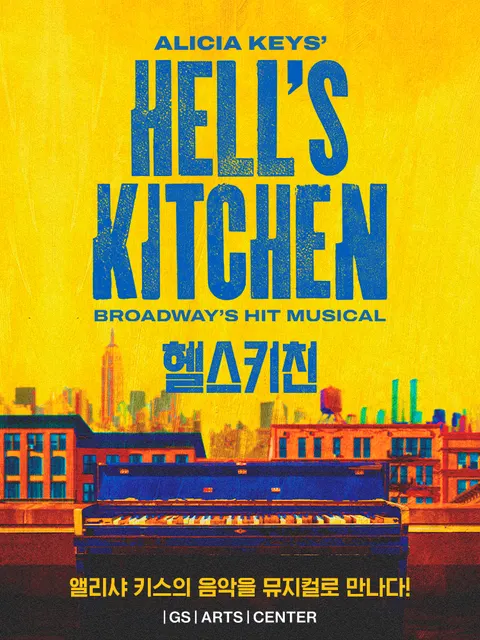 Now showing · until Sun 8 Nov 2026
Hell's Kitchen
from ≈ US$60₩80,000
MusicalsInternational bookingLast train infoSeoul
Now showing · until Sun 8 Nov 2026
Hell's Kitchen
from ≈ US$60₩80,000
MusicalsInternational bookingLast train infoSeoul
-
![Let Me Fly [Seoul] official poster](/img/p/PF299346-480.webp) Now showing · until Sun 3 Jan 2027
Let Me Fly [Seoul]
from ≈ US$50₩66,000
MusicalsInternational bookingLast train infoSeoul
Now showing · until Sun 3 Jan 2027
Let Me Fly [Seoul]
from ≈ US$50₩66,000
MusicalsInternational bookingLast train infoSeoul
-
![Neverforgotten: Where K-Pop Began [Busan] official poster](/img/p/PF301658-480.webp) Sat 24 Oct 2026 19:00
Neverforgotten: Where K-Pop Began [Busan]
from ≈ US$38₩50,000
Busan
Sat 24 Oct 2026 19:00
Neverforgotten: Where K-Pop Began [Busan]
from ≈ US$38₩50,000
Busan
-
![Majesty [Daehak-ro] official poster](/img/p/PF301912-480.webp) Sun 25 Oct 2026 19:00
Majesty [Daehak-ro]
from ≈ US$45₩60,000
MusicalsInternational bookingLast train infoSeoul
Sun 25 Oct 2026 19:00
Majesty [Daehak-ro]
from ≈ US$45₩60,000
MusicalsInternational bookingLast train infoSeoul
-
![Dracula [Daegu] official poster](/img/p/PF299287-480.webp) Tue 27 Oct 2026 19:30
Dracula [Daegu]
from ≈ US$60₩80,000
MusicalsInternational bookingDaegu
Tue 27 Oct 2026 19:30
Dracula [Daegu]
from ≈ US$60₩80,000
MusicalsInternational bookingDaegu
-
![JEONGHAN X JOSHUA JOURNEY INTO: DREAMING [Incheon] official poster](/img/p/PF302940-480.webp) Fri 30 Oct 2026 19:00
JEONGHAN X JOSHUA JOURNEY INTO: DREAMING [Incheon]
from ≈ US$108₩143,000
International bookingIncheon
Fri 30 Oct 2026 19:00
JEONGHAN X JOSHUA JOURNEY INTO: DREAMING [Incheon]
from ≈ US$108₩143,000
International bookingIncheon
-
![The Days [Icheon] official poster](/img/p/PF298294-480.webp) Sat 31 Oct 2026 14:00
The Days [Icheon]
from ≈ US$23₩30,000
MusicalsInternational bookingGyeonggi
Sat 31 Oct 2026 14:00
The Days [Icheon]
from ≈ US$23₩30,000
MusicalsInternational bookingGyeonggi
Other ticket guides
- Which site sells my concert?Compare the four global ticket sitesRead the guide
- Melon Ticket GlobalAccount, 3D Secure cards, pickup rulesRead the guide
- YES24 Ticket (English site)Separate account, eKYC, PayPal rule, Will CallRead the guide
- Ticketlink GlobalPAYCO account, passport check, presales, pickupRead the guide